
On This Page
Put the menu, today’s hours, your address and a booking or ordering button within one tap of the home page on a phone. Publish the menu as a real web page rather than only a PDF, keep your hours in one place, and point your Google Business Profile at the page that answers what people searched.
The path a diner actually takes
- Search or Maps“Pizza near me” or your name
- Your profilePhotos, rating, hours
- MenuDoes it look good?
- Hours and locationAre you open? Is it close?
- Book or orderThe action you want
Every extra tap or slow page is a chance to lose them. The design’s job is to make each step obvious on a small screen.
What belongs at the top of the page on a phone
| Element | Why it matters | How to check it |
|---|---|---|
| Name and what you serve | Confirms they’re in the right place | Readable without zooming |
| Menu button | The most common reason to visit | One tap from the home page |
| Today’s hours | Answers “are you open?” | Matches your Google Business Profile |
| Book or order button | The action you want | Goes straight to the booking or ordering page |
| Address and directions | Gets them in the door | Opens your maps app |
An example from our work
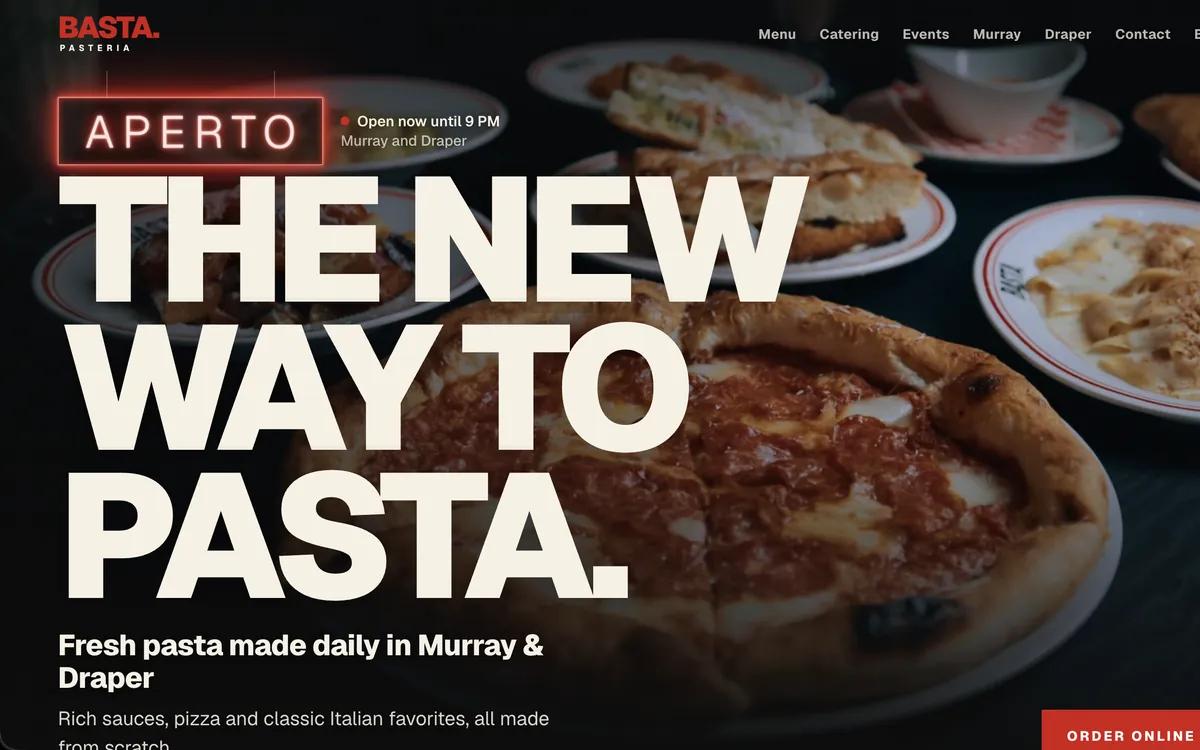
Test your menu: PDF or web page?
PDF menus are common, but they’re often slow to open and hard to read on a phone. Run this two-minute test on your own phone, using cellular data rather than Wi-Fi.
- Slow to open on cellular
- Pinch and zoom to read prices
- Can’t be selected or searched as text
- Opens in one tap
- Readable at normal size
- Real text you can select and search
| Test | It passes if | Your result |
|---|---|---|
| Open the menu from the home page | It opens in one tap and shows prices within a few seconds | blank |
| Read a price without zooming | The text is readable at normal size | blank |
| Press and hold a dish name | The text can be selected, so it’s real text and not a picture | blank |
| Find today’s hours | They match your Google Business Profile | blank |
| Tap the booking or ordering button | It lands on the right page for your restaurant, ready to use | blank |
If the menu fails, publish it as a simple web page and keep the PDF as an optional download for catering or printing.
The path to a booking
- FindSearch or Maps
- MenuOne tap from home
- HoursMatches Google
- BookStraight to your table
Booking and ordering links that don’t lose diners
- Link straight to your restaurant’s page with your reservation or ordering provider, not the provider’s home page.
- Use one clear button for each action. Two buttons that both say “Order” confuse people.
- When a night is fully booked, offer the next open date or a waitlist instead of a dead end.
- If you have more than one location, ask which one before the booking step, not after.
Before you launch a redesign
- Keep your current page addresses, or redirect each old address to its new page.
- Update the website link in your Google Business Profile and on social profiles.
- Test the menu, booking and ordering buttons on a phone before you switch over.
- Check that your hours appear in only one place on the site, so they can’t disagree.
Once the site works, fill the slow nights with restaurant email marketing, and if you advertise, measure it with cost per booked appointment. See our website design services for how we build sites like this.
Related guides
Source note. The checklist and test were written for this guide. The BASTA Pasteria screenshot shows a site Astra 13 Studios designed and built.